Reduce No-Shows: Appointment Confirmation Emails for Professionals
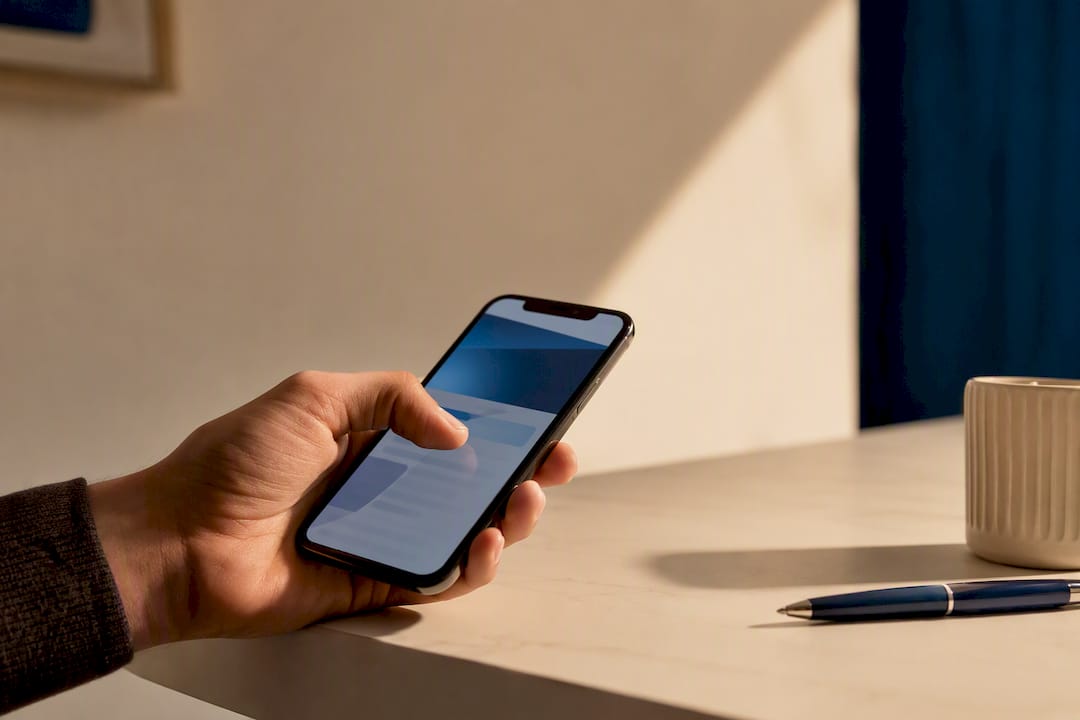
Here is the formula that works: “Dear [name], we confirm your appointment on [date] at [time] at [location/link]. Click here to confirm or reschedule.” Add the .ics calendar file, personalize only the recipient’s name and role, and send this appointment confirmation email 48 hours beforehand.
At a glance:
- Sending confirmation emails with complete details reduces no-shows by 32% and helps prevent wasted working hours.
- To be effective, the confirmation must include a clear subject line, date, time, location, calendar link, and direct contact details.
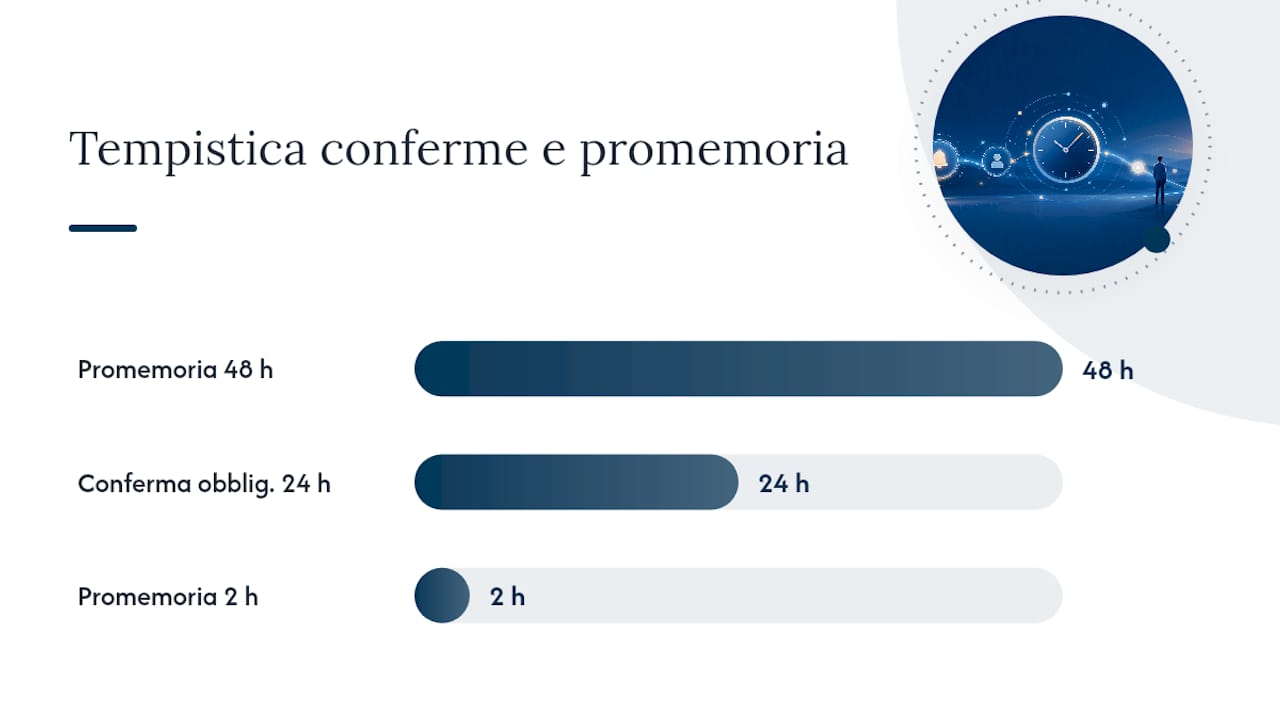
- Sending an immediate confirmation, a reminder 48 hours beforehand, and a final reminder 2 hours beforehand is recommended to maximize attendance.
- Using simple confirmation links that require no login and attaching .ics files encourages quick responses and reduces forgetfulness.
- Automating everything with tools such as KeSbatty makes it easy to manage confirmations, reminders, and document delivery without complications.
Contents
- Why sending an appointment confirmation email makes a difference
- What every confirmation email needs
- Eight ready-to-use email templates for every scenario
- When to send confirmations and reminders to maximize attendance
- How to create confirmation links and calendar buttons that work
- Personalize without overdoing it
- What really changes when you automate confirmations
- Automate confirmations and reminders with KeSbatty
- Sources
Why sending an appointment confirmation email makes a difference
A no-show costs more than you think: an empty slot is a lost hour of work, often one you cannot recover. An analysis of over 212,000 bookings measured a 32% reduction in no-shows through the use of automatic reminders and mandatory confirmations.
For every 100 appointments booked without any confirmation, a typical schedule loses several working hours a month to avoidable no-shows alone.
There is also a less-discussed benefit: written confirmation is evidence. If a client disputes the time or forgets what was agreed, the confirmation email settles the discussion in ten seconds. It works best when you send it early, as soon as the appointment is booked, and even better with new contacts or people unfamiliar with how you work: people who do not know you are more likely to back out without notice.
What every confirmation email needs
The most reliable guides on the subject agree on a fixed structure: a clear subject line, confirmed date and time, and a call to action to confirm or cancel. Everything else is personalization.
Here are the fields you should always include:
- Subject: recipient’s name + meeting type + date (e.g., “Marco, tax consultation on March 14”).
- Body: confirmation of the date, time, location or link, expected duration, and participants’ names.
- Agenda: only if the meeting covers more than one topic; otherwise, it adds unnecessary weight.
- Two calls to action: one button to confirm, another to cancel or request a new time.
- Calendar link: an “Add to Google Calendar” button or an attached .ics file.
- Direct contact details: a phone number or email address for last-minute changes.
- Practical notes: parking, documents to bring, or a brief mention of the cancellation policy if your industry requires one.
One detail many people forget: if you handle sensitive data (health, legal, or financial information), a line about the confidentiality of the meeting is not pointless bureaucracy. It shows respect for people who share sensitive information with you before even meeting you in person.
Eight ready-to-use email templates for every scenario
Copy, adapt the fields in square brackets, and send. Each template is designed for a different context: the tone changes, but the structure stays the same.
-
Formal B2B template. “Dear [name], we confirm the [type] meeting scheduled for [date] at [time] at [location/link]. Expected duration: [duration]. Participants: [names]. To confirm, click here; to reschedule, reply to this email.”
-
Short consumer/beauty appointment template. “Hi [name]! We look forward to seeing you on [day] at [time] for your appointment. Confirm with one click, or message us if you need to reschedule.”
-
Virtual meeting template. “Dear [name], your video call is confirmed for [date, time]. Joining link: [URL]. We recommend joining 5 minutes early and checking your audio/video. Add the event to your calendar with one click.”
-
Rescheduling template. “Dear [name], as agreed, we are moving your appointment from [old date] to [new date], at the same time. Can you confirm that you are available?”
-
Follow-up after a no-show template. “Hi [name], we missed you today at [time]. Is everything okay? If you would like, we can reschedule right away: here are three available times this week.”
-
First visit/free consultation template. “Dear [name], we confirm your first consultation on [date]. Please bring [documents]. Estimated duration: [duration].”
-
Group/course template. “Dear participant, the session on [date] is confirmed for the [course name] group. Places are limited: please confirm your attendance by [deadline].”
-
Final reminder template (2 hours beforehand). “We look forward to seeing you shortly: your appointment is at [time] at [location]. See you soon!”
When to send confirmations and reminders to maximize attendance
In practice, a simplified version works best for most professionals:
- Immediate confirmation within a few minutes of booking.
- A reminder 48 hours beforehand, with an explicit confirmation request for paid appointments or those with cancellation fees.
- A final reminder 2 hours beforehand, short and direct, especially useful for people who forget easily.
The two touchpoints at 48 hours and 2 hours cover both planning and unexpected last-minute issues. For high-value appointments, adding an SMS alongside the email further increases the certainty of attendance.
A tip: if your industry has a high no-show rate (hair salons, medical practices, free consultations), make confirmation mandatory: anyone who does not click within 24 hours receives a call or loses the slot.
How to create confirmation links and calendar buttons that work
You do not need a complex website. An effective confirmation link takes people to a page with a single click, with no login and no forms to fill out: the lower the friction, the higher the response rate. Tools such as embedded booking widgets (for example, WordPress plugins like Koalendar) generate these links automatically.
For calendars, always attach an .ics file or include an “Add to Google Calendar / Outlook” button: putting the event directly into the recipient’s calendar reduces forgetfulness much more than a simple text reminder.
- Test every link on desktop and mobile before using it with real clients.
- Avoid forms with too many fields: a name and, if needed, a reason for postponing are enough.
- Never require a login to confirm or cancel unless you handle particularly sensitive data.
Personalize without overdoing it
A confirmation that is too generic feels automated and cold. One that is too long feels like a sales email in disguise. The balance lies in a few carefully chosen variables:
- The recipient’s name and role (rather than just “Dear customer”).
- A quick reference to the previous conversation (“as discussed over the phone…”).
- The right tone for the context: more formal in B2B settings, more direct and friendly with consumers.
Avoid multiple requests in the same message (“confirm, bring the documents, and consider this other service too”): each email should have one clear goal. Emojis are fine in informal consumer settings, never in B2B or healthcare communications.
A tip: write the subject line with people reading notifications on their phones in mind: they should understand what it is about without opening the email.
Quick checklist before hitting send
- The date, time, location or link are correct and match what was agreed.
- The confirmation button and .ics file actually work (test them yourself).
- Contact details for changes or cancellations are up to date and visible.
- There are no typos, and the tone suits the recipient.
What really changes when you automate confirmations
Templates work, but only if someone sends them at the right time, every time. The small commitment of clicking “confirm” increases the likelihood of attending compared with a passive reminder that the recipient simply reads. It is a simple psychological lever, but it requires discipline: people who manage schedules manually end up skipping the 48-hour reminder precisely during their busiest weeks, when they need it most.
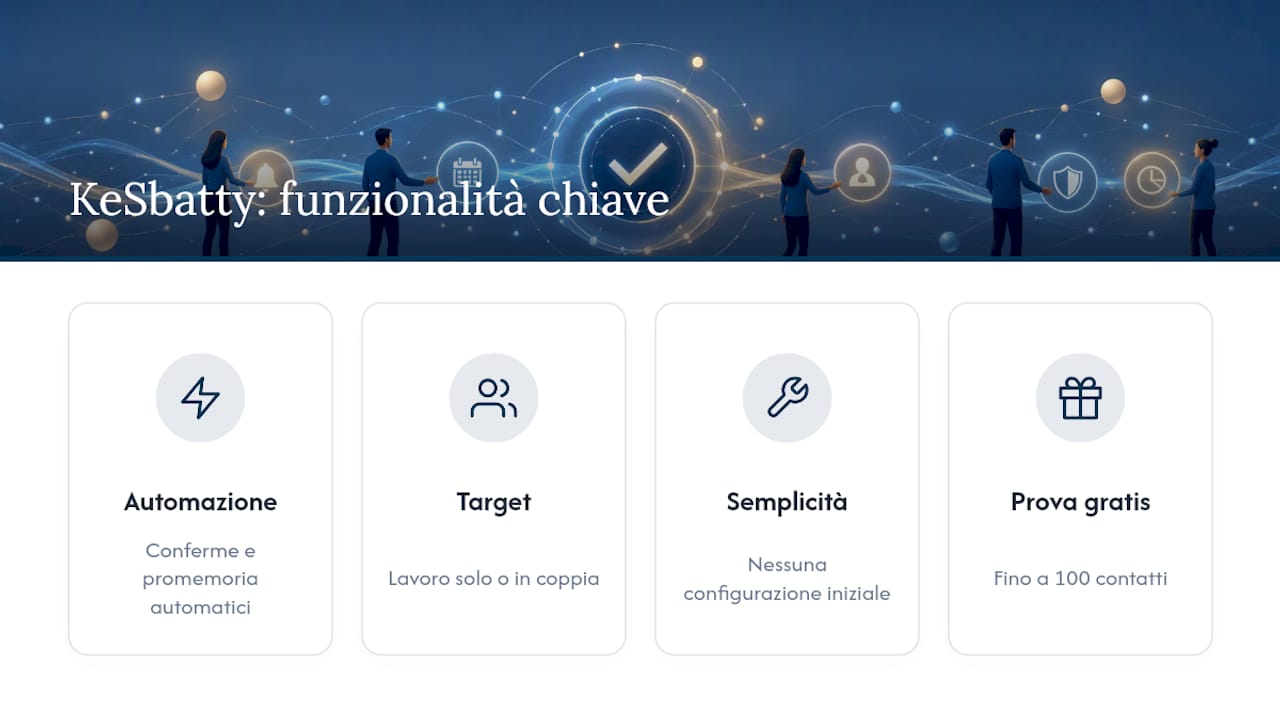
People who work with KeSbatty set up the reminder sequence just once: the confirmation email goes out automatically when the booking is made, and the 48-hour reminder and final reminder follow without anyone having to remember them. The appointment modules and document delivery without login fit into the same workflow, so the client receives everything they need without going through three different tools.
— Fabrizio
Automate confirmations and reminders with KeSbatty
Writing the right template is half the job: the other half is remembering to send it, every time, at the right moment. Kesbatty takes care of that part: appointments, automatic reminders, and document delivery without login all live in the same place, without having to paste templates from a Word file every time you book a meeting.

It is designed for people working alone or as a pair, rather than marketing departments with dedicated teams: freelancers, consultants, coaches, and social media managers who currently manage contacts in one app, appointments in another, and documents scattered across emails. With KeSbatty, the appointment module generates the automatic confirmation, the reminder goes out automatically 48 hours beforehand, and modules are activated only when you need them, without complicated setup to work through before you can start working.
You can try KeSbatty for free with up to 100 contacts and see how much time you get back in the very first week.
Sources
For more on the templates and data cited: Stripo’s guide to confirmation emails, Kiosk’s study on no-shows, and the PubMed review of healthcare reminders.