Reduce Administrative Time: A Four-Pillar Strategy

To reduce administrative time right away, take four steps: centralize data in a single register, digitize invoices and documents, automate repetitive workflows, and train the team on one process at a time. Measure the hours saved and the reduction in errors after each change. Modular platforms like Kesbatty let freelancers and micro-teams start with a single module, without turning their work habits upside down.
In brief:
- Centralizing data in one register can save minutes every day and reduce errors, especially when you enable the features you use most often.
- Digitizing invoices, quotes, and contracts speeds up approval workflows, shortens payment times, and simplifies tax administration.
- Adding automation such as OCR and matching rules reduces review time and the margin for error in repetitive tasks.
- Interoperability between systems and tools reduces manual steps, shortens working time, and improves traceability.
- A modular approach and focused training help small businesses digitize effectively without overloading the team.
Table of Contents
- The four pillars for reducing administrative time
- Centralizing data: CRM and a single contact register
- Digitizing invoices and documents: e-invoicing, sending, and digital signatures
- Document management and compliant preservation: what AgID says
- Workflow automation: OCR, data extraction, and approval rules
- Interoperability and integration between systems
- Training and organizational change: the modular approach
- Practical roadmap: results in 30, 90, and 180 days
- How Kesbatty helps reduce administrative time
- The author's perspective: strategic priorities for managers
- Try Kesbatty to speed up administration
- Sources
- Frequently asked questions
The Four Pillars for Reducing Administrative Time
Anyone running a business alone or with a small team loses hours every week chasing information scattered across emails, spreadsheets, and different folders. The good news is that you can tackle the problem on four fronts, rather than getting lost in a hundred details.
- Data: one contact register instead of scattered address books, chats, and notes.
- Documents: digital invoices, quotes, and contracts, with no printing or handwritten signatures.
- Processes: automate tasks that recur every month without adding value.
- People: focused training, because a new tool without training goes unused.
Working on all four pillars matters more than perfecting just one. A flawless CRM that is disconnected from invoicing still creates duplicate work. For a professional or micro-team, prioritize the pillar that causes the most day-to-day friction, not the one that's most “trendy”: often it's document management, not the latest technology.
Centralizing Data: CRM and a Single Contact Register
Every time you open three different tools to find a client's phone number, you're paying an invisible cost. Centralizing data in one register eliminates that scatter and gives you back minutes that add up to hours over the course of a week.
A CRM designed for a solo professional or micro-team doesn't need to replicate the complexity of an enterprise system. What you need is:
- Modularity: enable only the features you actually use, without paying for or configuring the rest.
- Simple import and export, so you aren't locked in if you change tools.
- Data stored in Europe, a requirement many B2B customers explicitly ask for today.
- A direct connection between contacts, appointments, and tasks, so your contact records aren't isolated.
Move the processes you handle every week into the single register first: capturing new contacts, sales follow-ups, and deadline reminders. Track two simple metrics: minutes spent each week searching for information, and the number of communication errors (duplicate messages, missing information, lost contacts).
A tip: Before choosing a CRM, list the five actions you repeat most often during the week. If the tool can't handle all of them in one step, you're not centralizing; you're just moving the problem somewhere else.
Digitizing Invoices and Documents: E-Invoicing, Sending, and Digital Signatures
Paper is where administrative time disappears first. Digitizing invoices, quotes, and contracts isn't just a matter of staying organized: it shortens approval times and payment waits.
- Build e-invoicing into your daily workflow, rather than treating it as a separate step: the document is created in the correct format from the start, with no double entry between your management software and the tax system.
- Send quotes and documents with a public link, so you don't ask the client to create an account or install software: someone receiving a link can open and sign in a few minutes; someone who has to register may put it off.
- Use digital signatures for contracts and approvals, so approval doesn't depend on a printer or a post office.
- Log every outgoing document with a date and unique reference, so you can find it again without searching through emails.
Tax intermediaries, such as accountants and consultants, can already exchange filings with the Italian Revenue Agency through the single authorization for online services, which reduces operational time compared with sending documents manually. The same principle applies to client relationships: fewer manual steps mean less waiting for any micro-team.
Document Management and Compliant Preservation: What AgID Says
A shared cloud folder isn't enough to guarantee that a document will be admissible in an inspection or dispute. AgID's guidelines on digital documents set specific requirements for creating, managing, and preserving digital documents, and many small businesses overestimate how well a simple cloud archive actually meets these obligations.
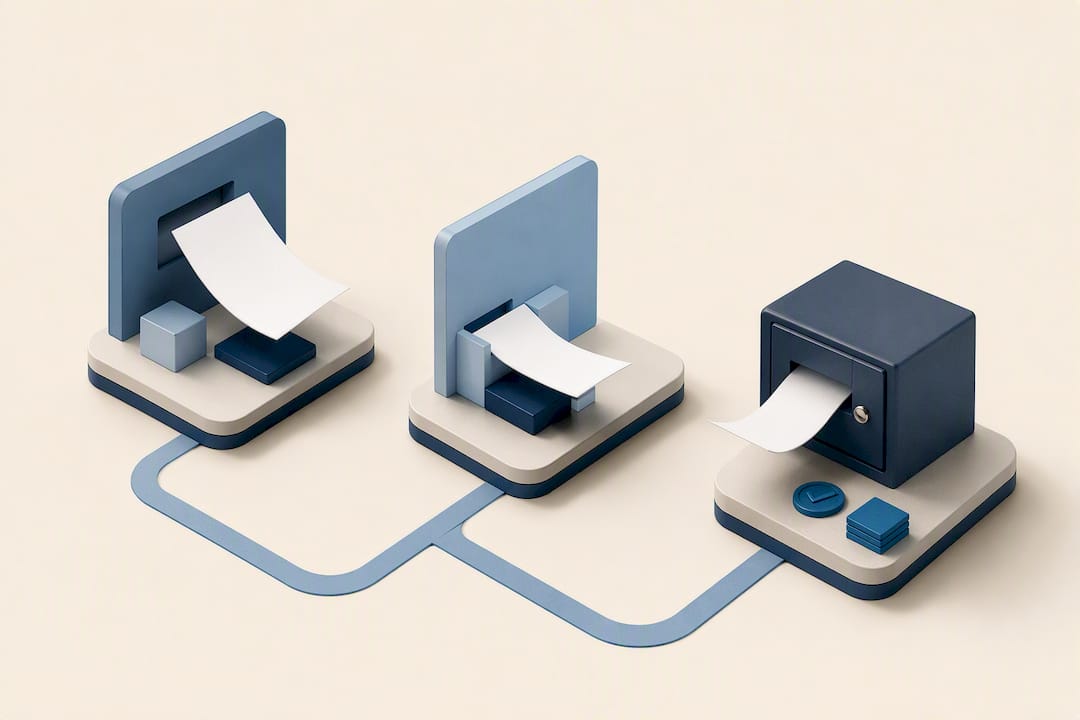
The practical difference between cloud storage and compliant preservation lies in mandatory metadata, a timestamp, and traceability throughout the document's lifecycle. A file saved on Google Drive remains accessible, but isn't necessarily compliant.
To meet the requirements without disrupting daily work:
- Write a document management manual, even a short one, that says who does what and where each type of document is stored.
- Systematically log documents with evidentiary value (contracts, invoices, official communications).
- Choose a compliant preservation provider if you handle tax or legal documents that must be retained long term.
- Schedule regular internal checks, not just a review when you first adopt the system.
Ignoring this step won't cost you time today, but it can multiply the time you lose later: retrieving a document that wasn't properly preserved during an inspection takes much more effort than setting up the system correctly from the start.
Workflow Automation: OCR, Data Extraction, and Approval Rules
Repetitive tasks that add no value are ideal candidates for automation. An automated workflow doesn't remove human oversight; it moves it later in the process, focusing on exceptions instead of every single case.
- OCR (optical character recognition) extracts data from invoices and receipts in image or PDF format, avoiding manual transcription.
- Matching rules automatically compare amounts, dates, and references across different documents (for example, an order and an invoice), flagging only discrepancies.
- Approval workflows route a document to the right person based on predefined thresholds, without passing it back and forth by email.
A practical example is account reconciliation: instead of manually comparing bank statements with recorded invoices, a system with matching rules flags only the lines that don't match, sharply reducing the time spent on monthly reviews. The use of artificial intelligence to automate administrative workflows is already measurable: according to Istat, around 28.2% of businesses that use AI apply it specifically to tasks of this kind.
A tip: Don't automate everything at once. Choose the most repetitive process that is most prone to errors, measure how long it takes today, automate it, then compare the numbers before and after. That's the only way to know whether the investment really worked.
Interoperability and Integration Between Systems
A great tool that doesn't talk to other tools is just one more island to manage. Interoperability, meaning the ability of different systems to exchange data automatically, is defined by Api as the main enabler of administrative simplification, because it reduces time, costs, and manual steps between businesses and public administration.
For a micro-team, there are only a few key integrations to prioritize:
- Connect the CRM to accounting to avoid entering the same data twice.
- Connect document management to the calendar, so every contract deadline triggers an automatic reminder.
- Connect invoicing to the contact register, so you don't have to look up the client's details manually for every invoice.
Digitizing workflows with public administration follows the same principle on a larger scale: ItaliaSemplice aims to simplify more than 5 million annual applications by standardizing formats across different agencies. The principle that applies to the state applies to a small business too: fewer different formats mean less time spent translating one into another.
Training and Organizational Change: The Modular Approach
Buying software isn't enough if no one actually uses it. The most common mistake in digitization is treating it as a purchase instead of a change in how people work: the team keeps using old habits alongside the new tool, doubling the work instead of reducing it.
The modular approach, often called MVP (minimum viable product), reduces this resistance because it doesn't ask you to change everything at once.
- Choose one process, the most repetitive one or the one most prone to errors.
- Digitize it end to end, without leaving manual steps partway through.
- Set aside protected training time, even just one hour a week for a month, without piling it on top of other urgent work.
- Measure adoption, not just installation: how many people are actually using the new process after thirty days?
The digital gap between small and large businesses is real: only 47% of SMEs reach advanced levels of digitization, compared with 96% of large companies. Training, rather than technology itself, is often what makes the difference between the two groups.
Practical Roadmap: Results in 30, 90, and 180 Days
A time-saving strategy works better with clear deadlines than with a vague “we'll digitize everything someday.”
- First 30 days: centralize contacts in one register, create templates for recurring quotes and invoices, and write a short document filing protocol.
- Days 31–90: automate invoice issuance and sending, and introduce at least one approval rule for recurring expenses or purchases.
- Days 91–180: connect the systems (CRM, accounting, document management) and bring your filing system in line with compliant preservation requirements.
As KPIs, track hours saved per week, the number of errors caught before sending, and the average time it takes to approve a document. Avoid two common mistakes: trying to automate a process no one has mapped properly yet, and skipping training on the assumption that the new tool will “explain itself.” Industry estimates indicate savings of between €25 and €65 per document handled through a fully digital process, depending on volume and complexity: a useful figure for estimating the return before getting started.
How Kesbatty Helps Reduce Administrative Time
Kesbatty was built for people who recognize themselves in this guide but don't have an IT department to implement it. The platform brings contacts and companies together in one register, manages appointments and tasks on a customizable kanban board, and lets you send quotes and documents through public links without asking clients to log in.
Each module (automatic reminders, monthly report, content calendar, lead checklist) can be enabled only when needed, with no complicated setup at the start. A social media manager can manage clients and a content plan in one place; a coach can centralize appointments and follow-ups instead of switching between five different apps. Data stays stored in Europe, and export is always available. The free version covers up to 100 contacts: enough to see whether the approach works before scaling up.
The Author's Perspective: Strategic Priorities for Managers
People managing a small team often get the order wrong: first they look for the perfect tool, then they ask which process to improve. It should be the other way around. Map the process that costs you the most hours, measure it, then choose the simplest tool that solves it. A well-chosen MVP project beats a complete system that never gets adopted. Governance matters more than technology: assign an owner to each digitized module, set a review date 90 days out, and don't be afraid to drop a tool the team doesn't use.
— Fabrizio
Try Kesbatty to Speed Up Administration
The usual alternatives for reducing administrative workload—a costly enterprise CRM or a patchwork of disconnected apps—often take weeks to configure or cost more than a freelancer can justify. A modular management platform can offer individually activated modules, simpler setup, and data storage in Europe with export available, without locking you into a long-term commitment.

The basic plan is free for up to 100 contacts, making it useful for testing contact centralization and document sharing without risk. To unlock all advanced modules, there is a paid plan with an indicative price of €12 per month or €120 per year; check the official site. Those who also work on web or e-commerce projects can complement their work with partners like Aureon for hosting and digital development. Start the 14-day free trial on the Kesbatty page and see for yourself how many hours you get back in the first week.
Sources
- Guidelines on digital documents — AGID (PDF)
- Digitization and interoperability — ItaliaSemplice
- Businesses and ICT — ISTAT, 2024
- Services for tax intermediaries — Italian Revenue Agency
Frequently Asked Questions
What is the public administration's obligation to respond within 30 days?
Law 241/1990 sets 30 days as the general deadline for completing an administrative proceeding, subject to exceptions under specific sector regulations. Many technical or complex proceedings have different deadlines, set out in the regulations of the relevant agency.
What remedies are available if the public administration fails to act?
If an application passes its deadline without a response, a citizen or business can send a formal notice to the agency and, if it remains silent, apply to the administrative court for a decision. Some proceedings also provide for the mechanism of tacit consent, under which the request is automatically accepted once the deadline expires.
What are the tools for administrative simplification?
The main tools include digitizing document workflows, interoperability between public and private databases as described by api.gov.it, e-invoicing, and digital signatures. For a private business, a single contact register and automated workflows serve the same purpose on a smaller scale.
How long does an administrative proceeding take?
The standard duration is 30 days under Law 241/1990, but it varies depending on the type of application and the agency involved. Some procedures, such as those relating to construction or the environment, have longer deadlines set by specific sector regulations.
Is Kesbatty suitable for a solo freelancer, or do you need a team?
The management platform can suit both a solo professional and micro-teams, with modules that can be enabled individually. The basic plan is free for up to 100 contacts, while the full plan unlocks advanced features; check the official site for prices.