Client Meeting Follow-Up: What to Write and When to Send It

The right follow-up is brief, arrives promptly, and leaves no doubt about who needs to do what. Send a recap of the decisions made, who is responsible for each task, and the relevant deadlines. End with one request for action, such as confirming a date or sending a document. Everything else—calls, reminders, and nudges—comes later.
In brief:
- A follow-up should be brief, sent within 24 hours of the meeting, and focused on one clear action to confirm or complete.
- Timing depends on the type of meeting, ranging from an hour after a demo to three days after a proposal, with time zones and multiple stakeholders in mind.
- An effective follow-up follows a clear structure: a specific subject line, context, decisions, responsibilities, deadlines, and a single call to action with direct attachments or links.
- It helps to use templates for different situations, such as an immediate recap, a proposal with a choice, or a reminder, while keeping a professional tone and avoiding sounding desperate.
- Follow-ups should be scheduled and tracked automatically as activities so you do not lose touch with clients and can improve the chances of closing deals and retaining clients.
Table of contents
- When to send a follow-up after a client meeting
- What an effective follow-up should include
- Email templates for common situations
- How often to contact a client and when to switch channels
- How to track follow-ups without missing any
- Why follow-up builds client loyalty and is more than just an email
- How Kesbatty automates follow-up after every meeting
- Sources
When to send a follow-up after a client meeting
When you hit “send” matters almost as much as what you write. A recap that arrives within 24 hours significantly increases the likelihood that assigned tasks will actually get done, because the client still remembers the conversation and can immediately connect your requests to the context you discussed, as the data on post-meeting follow-ups confirms. Wait three days and you will be competing with twenty other emails that have arrived in the meantime.
The timing does vary depending on the type of meeting:
- Operational recap: within 24 hours, preferably that evening or the following morning.
- After a product or service demo: within 24 hours, while enthusiasm is still high.
- After sending a proposal: first check whether it has been read after 3 days, then follow up again after 5 days if you have not heard back.
- Payment reminder: as soon as the invoice is overdue, then every 5–7 days with an increasingly direct tone.
Keep international clients’ time zones and multiple stakeholders in mind: if three people attended the meeting, send the recap to all three, not just the person who spoke the most. Emails sent early in the morning or in mid-afternoon, while avoiding Monday mornings, tend to have higher open rates.
What an effective follow-up should include
An effective follow-up follows a consistent structure; it should not be improvised each time. The most effective follow-up emails are brief, focus on a single call to action, and go out within a day of the meeting, according to Wave Connect’s analysis of follow-up templates. Here is a structure that works:
- Clear subject line: include the project or meeting name, never a generic “follow-up.”
- Context in the opening line: one sentence reminding them what you discussed, without recapping everything.
- Decisions made: a concise list of what was decided, not what was merely “discussed.”
- Responsibilities and deadlines: turn every verbal commitment into “who will do what by when.” This is the operational core Noota identifies in every well-written follow-up.
- One CTA: choose the most urgent action and ask only for that.
- Attachments or links: include documents, quotes, or notes with direct access and no unnecessary steps.
Tip: Phrase your CTA as a yes-or-no choice (“Can you confirm March 12, or would March 14 work better?”) instead of an open-ended question (“Let me know when you can”): it reduces friction and speeds up the response.
Email templates for common situations
Having a template ready saves you from staring at a blank screen for ten minutes before writing two lines. Here are four versions to adapt.
Operational recap (right after the meeting): “Hi [Name], thanks for your time today. We decided [decision], and [Person] will take care of [task] by [date]. Can you confirm that works for you?”
Sending a proposal with a choice of next step: “Hi [Name], here is the proposal we discussed, attached. I’ve left two time slots in the calendar for us to review it together: [link 1] or [link 2]. Which do you prefer?”
First polite reminder (no reply after 3–5 days): “Hi [Name], I just wanted to make sure the proposal reached you. Let me know if you have any questions or would prefer to reschedule the call.”
“Hi [Name], I understand priorities change. If this project is no longer relevant for you, just let me know; otherwise, I’ll wait to hear from you.”
Invoice reminder with payment link: “Hi [Name], invoice no. [number] was due on [date]. You can pay it directly here: [payment link]. Thanks for working with us.”
None of these templates sounds desperate, and that is as it should be: the tone should be that of someone providing a service, not chasing after someone.
How often to contact a client and when to switch channels
The right cadence is not “one email a week until they reply.” The most effective sales and proposal sequences typically involve 3 to 5 touchpoints, and deals often close only after the third or fourth contact, according to Aviy’s guide to follow-up strategies.
| Stage | Timing | Channel |
|---|---|---|
| Immediate recap | Within 24 hours | |
| First follow-up | 3–5 days later | |
| Weekly reminder | Every 7 days, once or twice | Email or message |
| Phone escalation | If the deal is high-value or the deadline is close | Phone |
| Final breakup email | After the last reminder goes unanswered |
Switch to a phone call when the stakes are high (an important proposal or an approaching contract deadline) or when the client has already shown they respond better by phone. Every message in the sequence, whatever the channel, should follow the single-CTA rule: do not pile on different requests each time.
How to track follow-ups without missing any
The problem is rarely writing the follow-up. It is remembering to send it on the right day, to the right client, with the right attachment ready. Recording every follow-up as an activity with an owner and a deadline, rather than relying on a mental note, is the difference between having a process and just hoping for the best.
- Every recap generates at least one assigned task with a visible due date.
- Recurring reminders (payment nudges, sending standard documents) should be automated; personalize the message manually.
- Meeting notes, attachments, and links for scheduling the next appointment should be kept in the same place, not scattered across email, chat, and spreadsheets.
The cost of failing to do this can be measured: according to an industry analysis, 44% of salespeople give up after the first follow-up, even though many deals close only after subsequent contacts. Combining automation for recurring reminders with manual outreach for the cases that really matter remains the most effective approach for consultants and small teams, a balance that the same data from Aviy on follow-up strategies confirms as a strength of independent professionals.
Why follow-up builds client loyalty and is more than just an email
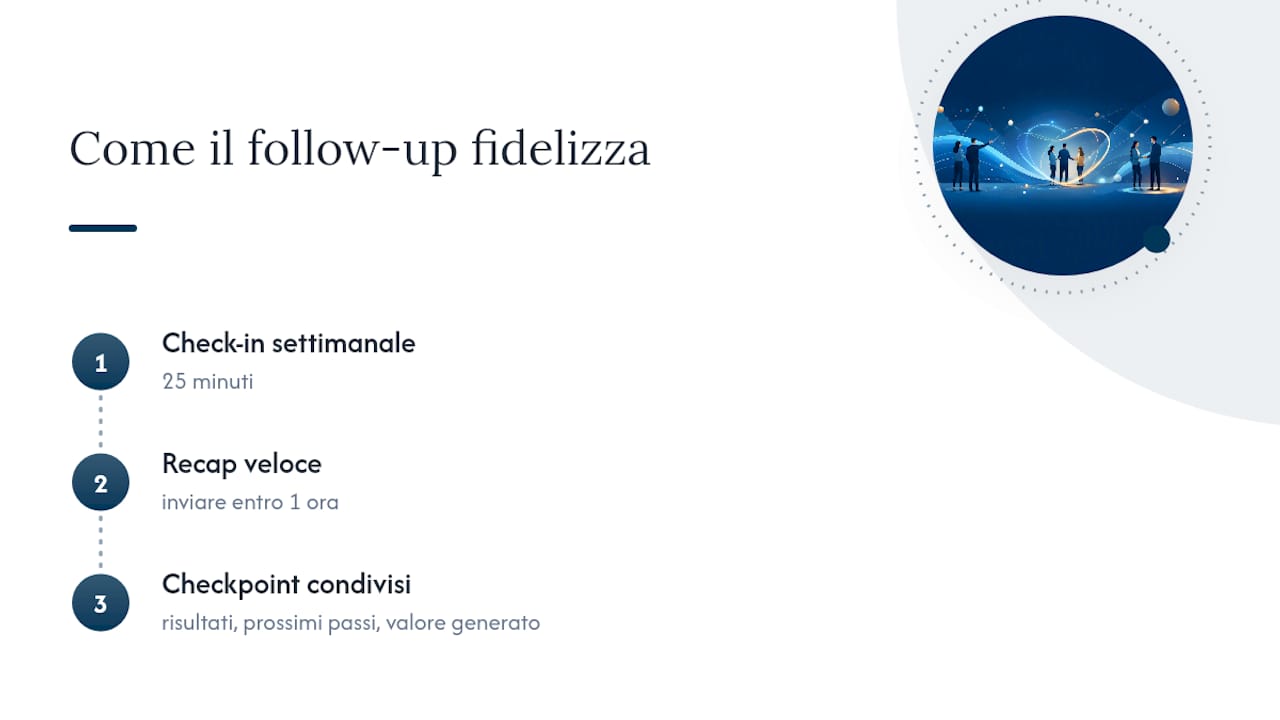
A well-executed follow-up does more than close out the task at hand: it lays the groundwork for renewal. Consultants who include performance check-ins in recurring follow-ups turn a request to continue the contract into a natural formality, as highlighted in SiCompanySRL’s analysis of common mistakes in the Italian market. A 25-minute weekly check-in followed by a recap within an hour, according to Waco3, replaces dozens of scattered emails and keeps the client in sync with the project.
Recurring meetings and renewal check-ins work in sync when they share the same data: results achieved, next steps, and value generated. That is when follow-up stops being bureaucracy and becomes proof that the client will need you again next month.
— Fabrizio
How Kesbatty automates follow-up after every meeting
A management platform can help you avoid using several apps to handle post-meeting tasks, reducing steps and open windows while lowering the risk of forgetting a client.

After every meeting, the recap you write becomes an assigned task with a deadline, without having to copy it into another management tool. Reminders for recurring nudges and follow-ups activate automatically, while you remain free to personalize the messages that really matter. Quotes and documents can be sent with a public link, without the client needing to create an account or log in, and appointments, notes, and tasks stay in the same place. Modules are activated only when you need them, so you do not pay for complexity you do not use. With the Kesbatty platform, you can try centralized management free for 14 days, with up to 100 contacts at no cost, and see in a week whether the chaos of scattered follow-ups is really over.