Cut revisions in half with this ready-to-use social media brief

A social media brief is the working document that turns a vague idea into content that is approved and ready to publish. It acts as a single source of truth: objectives, audience, tone, and KPIs are all in one place, rather than scattered across chats and emails. The practical result is fewer revisions, fewer misunderstandings, and a team working from exactly the same script. Below, you’ll find a ready-to-copy template.
At a glance:
- A well-structured social media brief dramatically reduces revision rounds and surprises during approval by setting clear objectives, audiences, and KPIs.
- A detailed description of the audience, their mindset, and the key messages helps you create more focused, effective content and avoid ambiguity.
- Including SMART objectives and precise deadlines in a brief helps keep the project under control and on schedule.
- Including all the essentials, such as rights, guidelines, and non-negotiables, ensures a consistent, clear message.
- Integrating the brief into your daily workflow through platforms such as Kesbatty streamlines approvals, revisions, and the content calendar within a single system.
Contents
- What a social media brief is and when to use one
- Why a social media brief saves time and revision rounds
- Essential components: the checklist to copy into your template
- A practical template ready to fill in
- How to complete the brief, step by step
- Common mistakes and the non-negotiables you should always write down
- What really changes when the brief becomes part of your workflow
- Manage briefs, approvals, and your content calendar in one place
- Sources
What a social media brief is and when to use one
A social media brief is useful whenever you need to launch a campaign, start a collaboration with an influencer, or simply plan a month of content with a new client. It is not the same as a creative brief (which addresses the visual or narrative idea for an individual piece) or a content brief (which focuses on the copy for an article or page). A social media brief covers everything: strategy, channels, tone, KPIs, and timelines, all in one shared document.
The ideal format is compact: one or two pages in a collaborative document that everyone can edit or comment on in real time, a service handled well by HybridMinds — Subscription marketing for your business. Platforms such as Notion offer collaborative templates that speed up production and keep briefs consistent, so every campaign does not have to start from a blank page.
When you really need a brief:
- Launching a new product or service on social media
- Working with an external creator or influencer
- Planning a campaign with a dedicated media budget
- Onboarding a new client at an agency or as a freelancer
Why a social media brief saves time and revision rounds
A well-written social media brief eliminates misalignment between the people creating, approving, and paying for the campaign. When objectives, audience, and tone are set down in black and white, the client does not discover halfway through the project that they expected a more formal tone or a different channel. This translates directly into fewer revision rounds: a clear brief can cut draft rounds in half because it eliminates surprises at delivery.

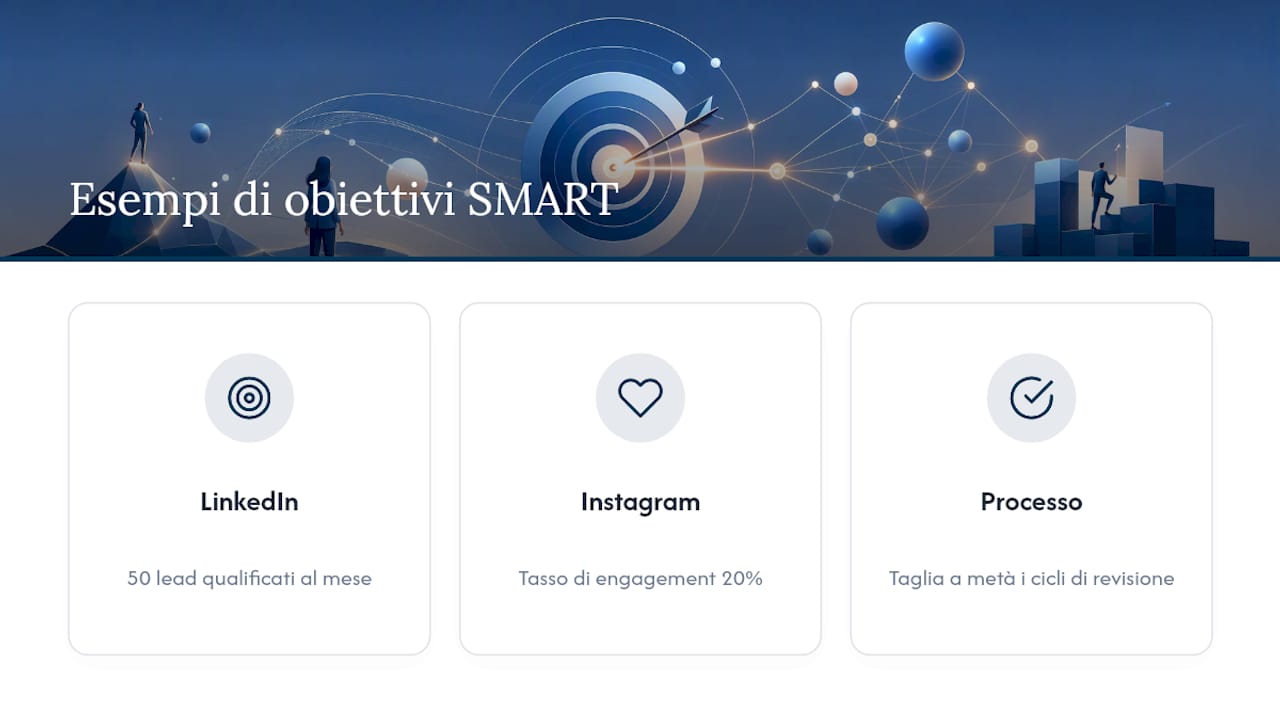
A tip: always define 2–3 SMART objectives for each six-month period, such as 50 qualified leads per month on LinkedIn or an engagement rate of 20% on Instagram. Concrete numbers prevent endless discussions about what “doing well” means. A social media brief structured around SMART objectives, an audience, and KPIs becomes the map everyone follows, reducing the time wasted chasing approvals by email.
Essential components: the checklist to copy into your template
A complete brief covers six areas. Each answers a specific question that will cause delays if left vague.
- SMART objectives: specific, measurable, achievable, relevant, and time-bound. Concrete examples help avoid ambiguity, but specific numbers should not be included without a source.
- Target audience: age or occupation alone is not enough. You need to describe the audience’s mindset when they see the content: what they are thinking, what they fear, and what they expect. This detail helps you develop a specific messaging angle instead of addressing a generic audience.
- Tone of voice and key messages: three words describing the tone (e.g., direct, curious, informal), plus two or three messages that must always be included.
- CTA: the specific action you want readers or viewers to take.
- Channels and native formats: where you publish and in what format (reel, carousel, story, static post).
- Primary and secondary KPIs, schedule, deliverables, approvals, and budget: every figure and deadline must be written down, rather than left to guesswork.
Elements you should never forget:
- Usage rights for images or content produced by third parties
- Brand guidelines (logo, color palette, fonts)
- Explicit non-negotiables (prohibited words, competitors not to mention)
A tip: write down “creative boundaries” instead of an endless list of rules. A brief that leaves room for interpretation while making the limits clear works better than one that constrains every sentence. This balance between firm instructions and creative freedom is what makes a brief truly effective, especially when you work with external creators.
A practical template ready to fill in
Here is a template you can copy field by field, with guidance on what to write and why.
- Campaign context: two lines explaining what is happening (launch, event, promotion).
- SMART objective: one sentence with a number and a deadline. Example: “Generate 40 quote requests by April 30 through Instagram and LinkedIn.”
- Audience and mindset: who is reading and what they are thinking at that moment. Example: “A freelancer who feels overwhelmed by too many tools and is looking for a single solution.”
- Angle and hook: the sentence that opens the content. Example: “Stop using five apps to manage one client.”
- Channels and formats: primary and secondary, with a native format for each.
- KPIs: primary (e.g., leads generated) and secondary (e.g., click-through rate).
- Schedule and budget: publication dates, approval deadlines, and the amount available.
For small or urgent projects, a condensed version with five points is enough: angle, hook, main body points, CTA, and notes on tone and audience. This streamlined format makes the brief quick to put into action, which is useful when you work in weekly content batches. The extended version remains the right choice for campaigns with a media budget or collaborations involving several stakeholders to coordinate.
How to complete the brief, step by step
Following a fixed order makes the process repeatable, even when the client or project changes.
- Gather input: ask the client or internal team for business objectives, the target audience, and budget constraints. Define who approves each stage so you do not discover at the last minute that a sign-off is missing.
- Choose the primary and secondary channels: allocate 70% of resources to a single primary channel and 20% to a secondary one, leaving the rest for repurposing content. This working rule delivers better results than spreading your presence across too many channels, especially for small teams with limited resources.
- Write the angle, hook, and main body points: start with the audience’s mindset, then build the opening sentence and the two or three points supporting the message.
- Set approvals and timelines: write down precise dates, rather than “by the end of the month.” Every vague deadline creates a delay.
A tip: leave 30% of your content calendar open to respond to sudden trends or current news. An overly rigid plan forces you to ignore the best opportunity of the month.
Common mistakes and the non-negotiables you should always write down
The most frequent mistakes recur with surprising regularity: an audience described too broadly, too many channels covered with insufficient resources, and objectives written without numbers or deadlines.
- A vague audience (“women aged 25–45 interested in wellness”) instead of a precise mindset
- Maintaining a presence across many channels without clearly distinguishing the primary channel from the secondary one
- Objectives without a number or date
- No written non-negotiables (prohibited words, competitors not to mention, legal pitfalls to avoid)
A tip: before sending the brief, reread it and ask yourself: “If I handed this to someone who knew nothing about the project, would they understand what to do without asking me anything?” If the answer is no, something is missing.
What really changes when the brief becomes part of your workflow
The difference between a brief that works and one that ends up ignored in a drive is not the quality of the writing; it is where the brief lives. An isolated document, saved once and never updated again, loses value within two weeks. The real improvement comes when the brief becomes part of the daily workflow: a reusable template, tracked approvals, and a connected content calendar. This is where fragmentation across different tools—a file for the brief, an app for the calendar, a chat for approvals—becomes the real hidden cost of social media management. People working alone or as a pair with a client need a single place where the brief is created, completed, and approved, rather than five different destinations for the same document. Trying this workflow on a single real campaign before adopting it across your entire client portfolio is the most honest way to find out whether it actually makes things simpler.
— Fabrizio
Manage briefs, approvals, and your content calendar in one place
If you manage several clients or social media projects, you already know that writing the brief is rarely the problem: it is keeping it active afterward, through revisions, approvals, and overlapping deadlines scattered across different emails. Kesbatty brings contacts, a content calendar, tasks, and documents together in a single platform, with modules you activate only when you need them, without complicated agency-style setup.

With the content calendar module, you can put the brief template directly into your workflow, assign approval deadlines, and track who said yes and to what. The document-sharing feature requires no login, allowing clients to read and approve the brief through a simple public link, with no passwords to recover or accounts to create. If you work with external collaborators or in a team of two, KeSbatty replaces five different tools with one, with data stored in Europe. You can try it for free with up to 100 contacts and activate advanced modules when you actually need them.